How can I assign a specific category to a product?
Updated
How can I assign a specific category to a product?
When creating a product, you must assign it a category. You can also change a general category already assigned to a product to a more specific category.
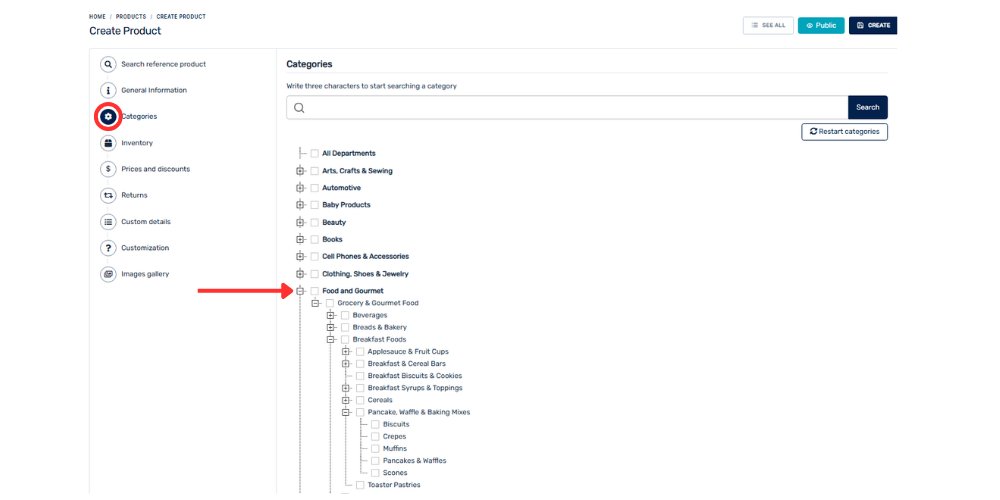
When creating a product or editing an existing one, go to the Categories section.
Find the general category you want to use. For example, Food.
Click the “+” symbol to the left of the category to expand its subcategories.
Continue clicking the “+” at each level until you reach the specific category you want. For example: Food → Bakery and Confectionery → Cakes → cake type.
Select the specific category you want to assign to the product.