Where can I manage my Marketplace information and settings?
Updated
Where can I manage my Marketplace information and settings?
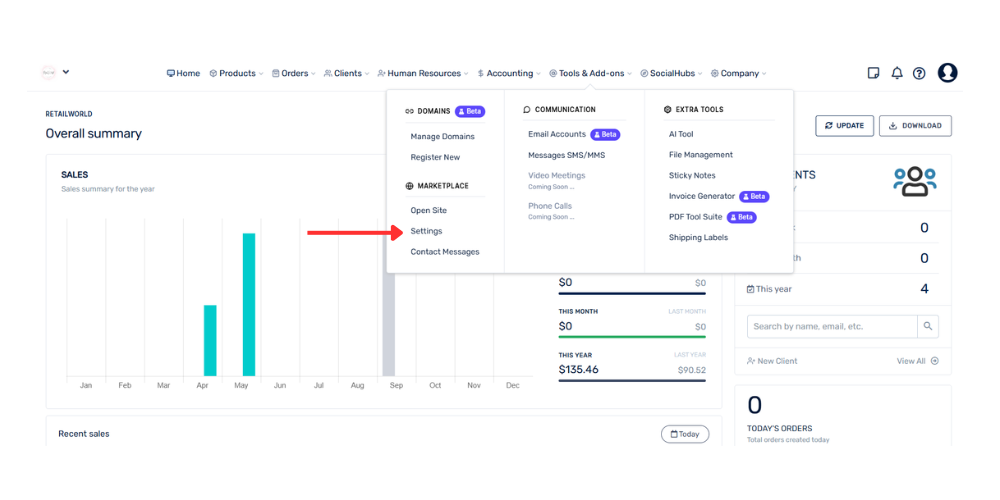
From the top menu, go to Tools and add-ons.
Select the Marketplace option.
Click Settings.
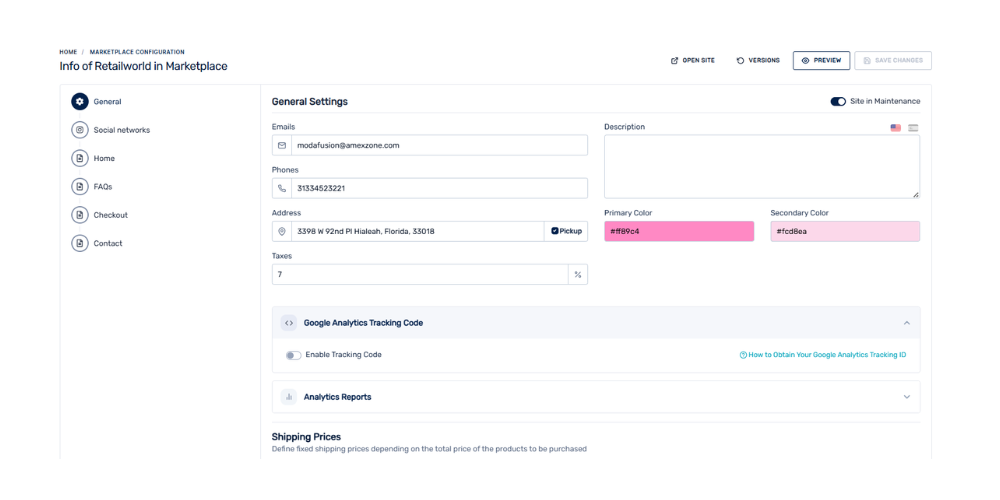
From this section, select the component you want to manage: General, Social Media, Home, Frequently Asked Questions, Checkout, or Contact Us.
From each section, you can manage different aspects of your Marketplace, such as general information, social media, homepage content, frequently asked questions, the checkout process, and contact information.