How do I add a social network from the Hub?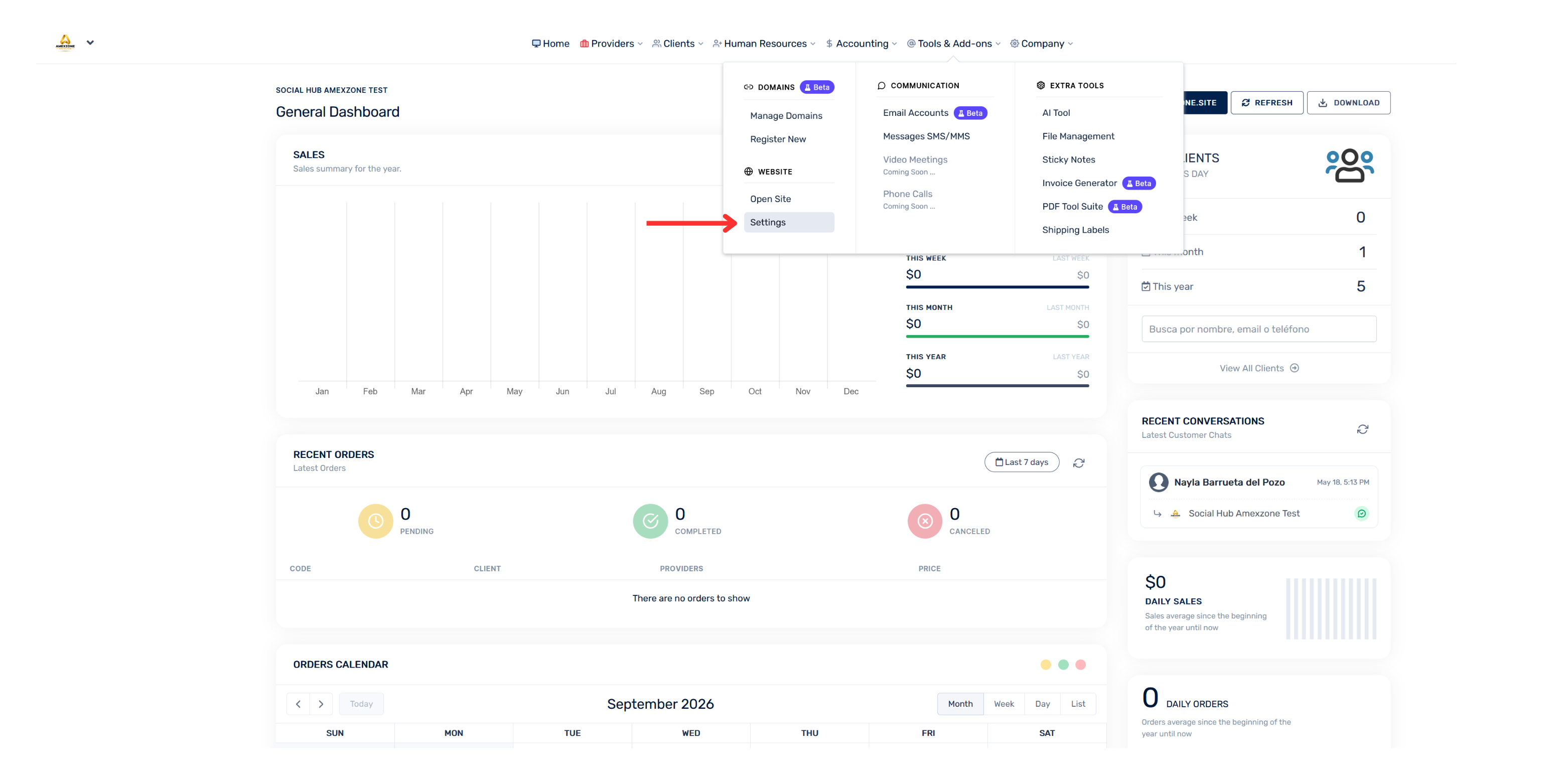
- Go to “Tools & Add-ons”.
- Select “Settings”.
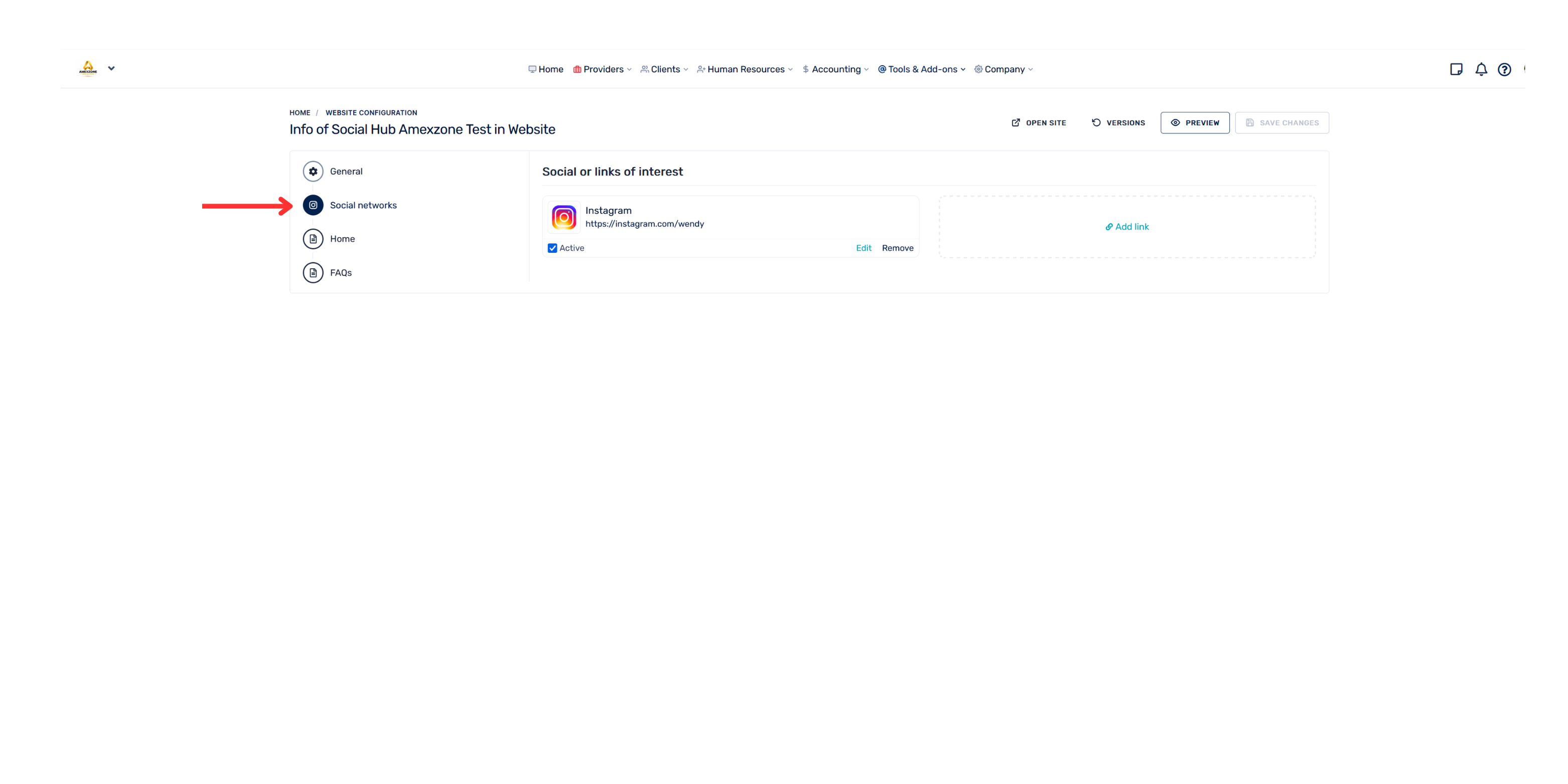
- Go to “Social Networks”.
- Select the option to add a social network.
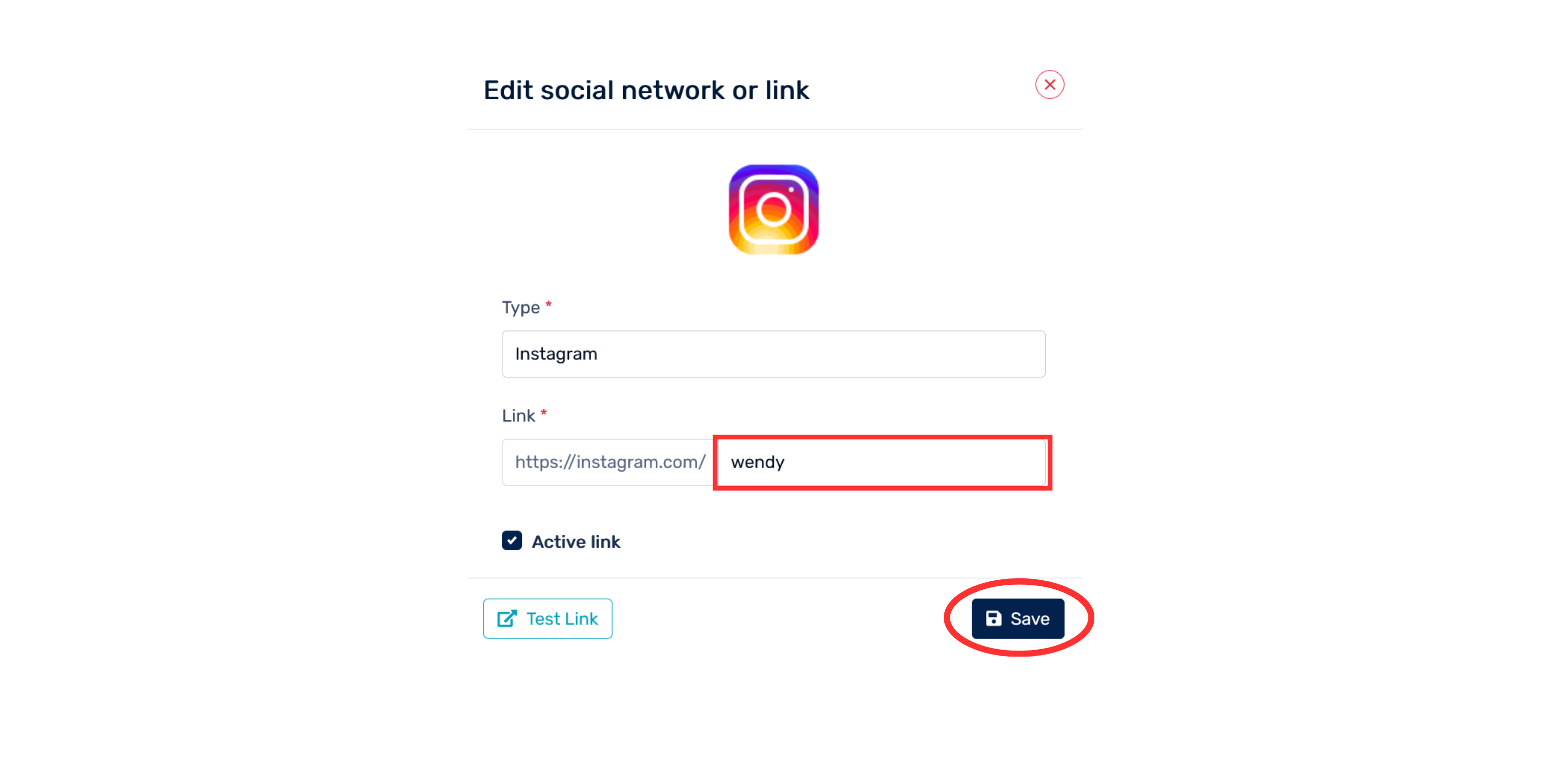
- Enter the applicable information and save your changes.