How to change the banner in a service or product company?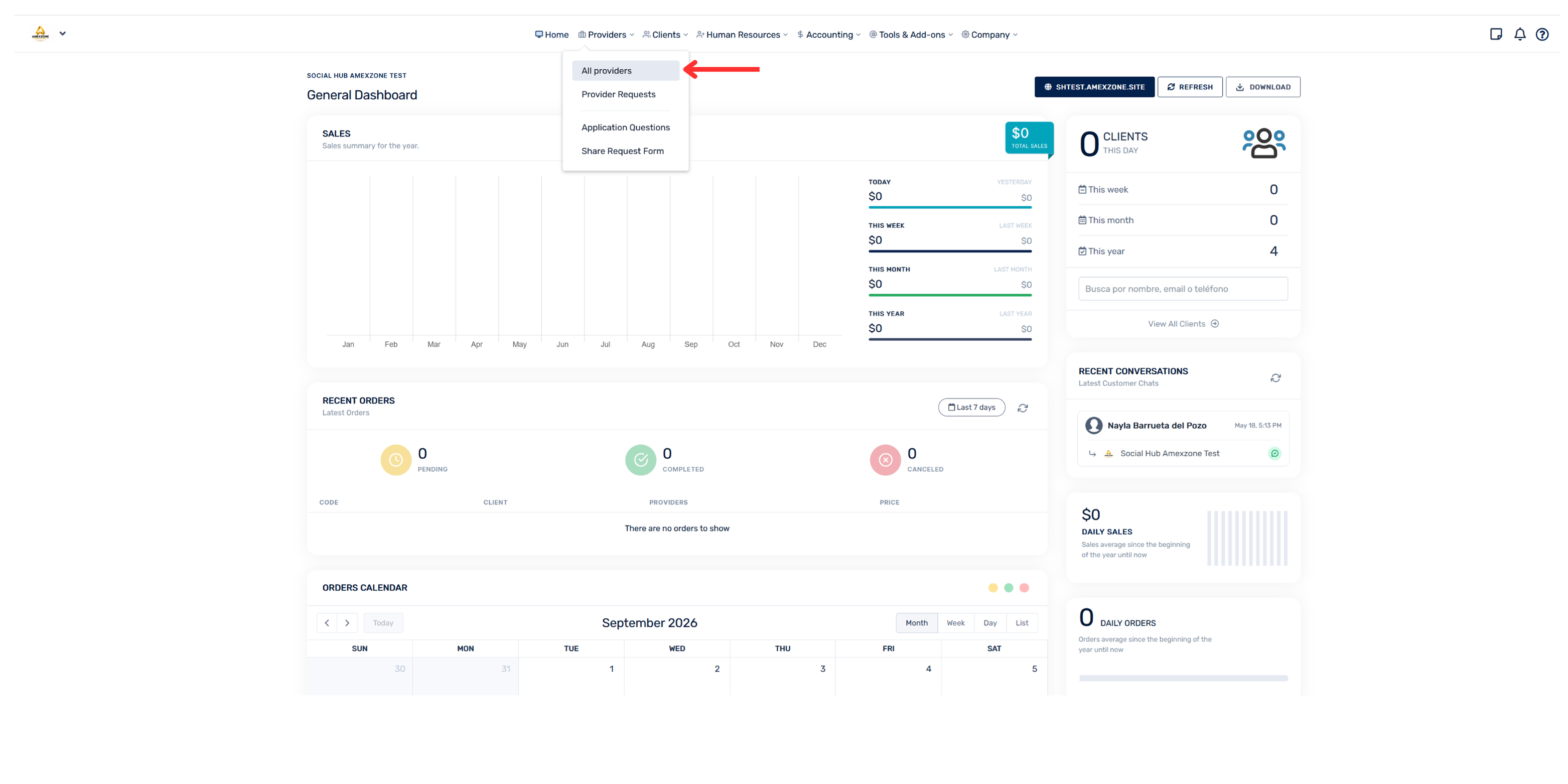
- Go to the “Hub”
- Select the “Providers” section
- Click on “All providers”
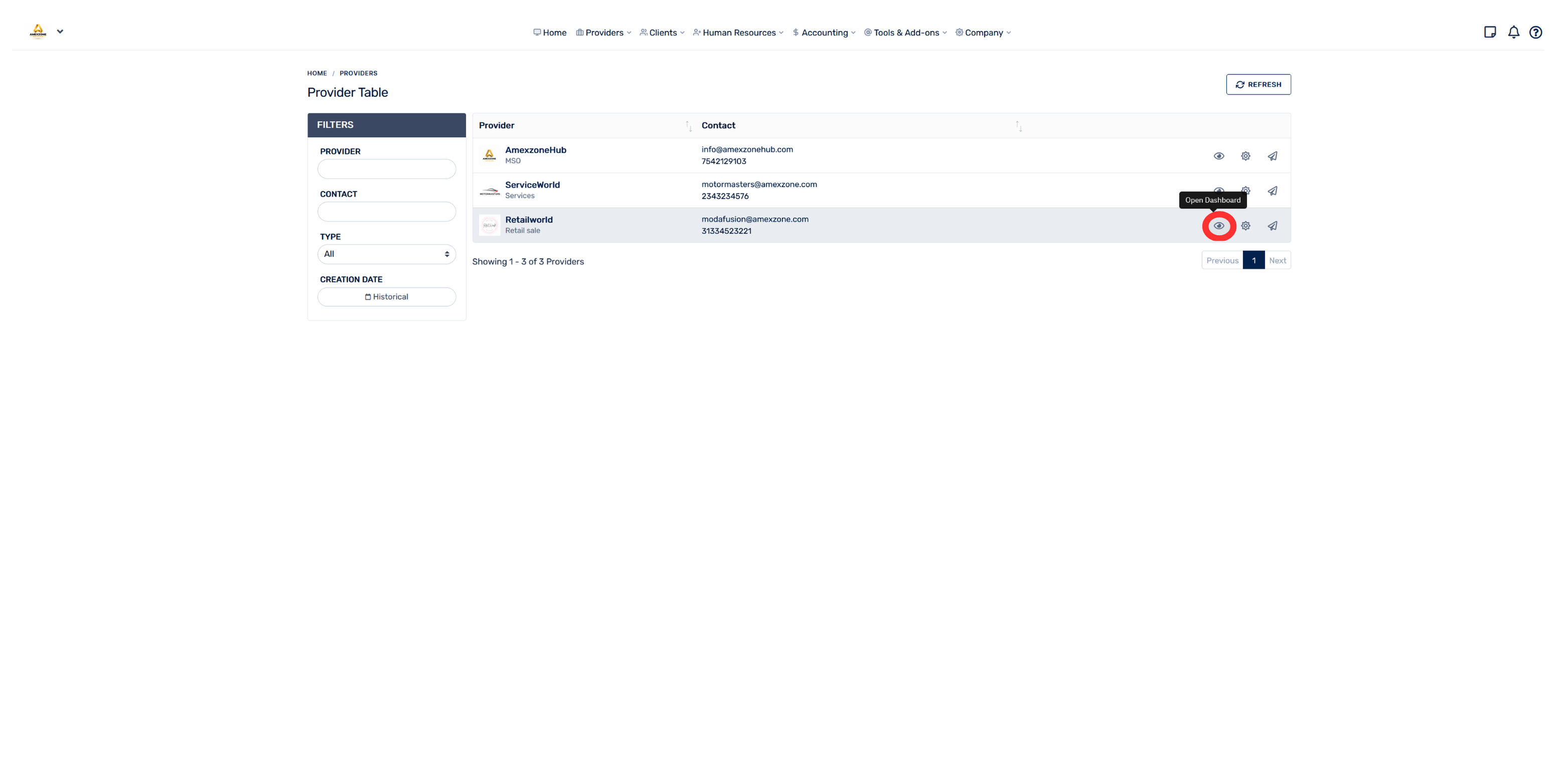
- Tap the eye icon (👁) of the corresponding provider
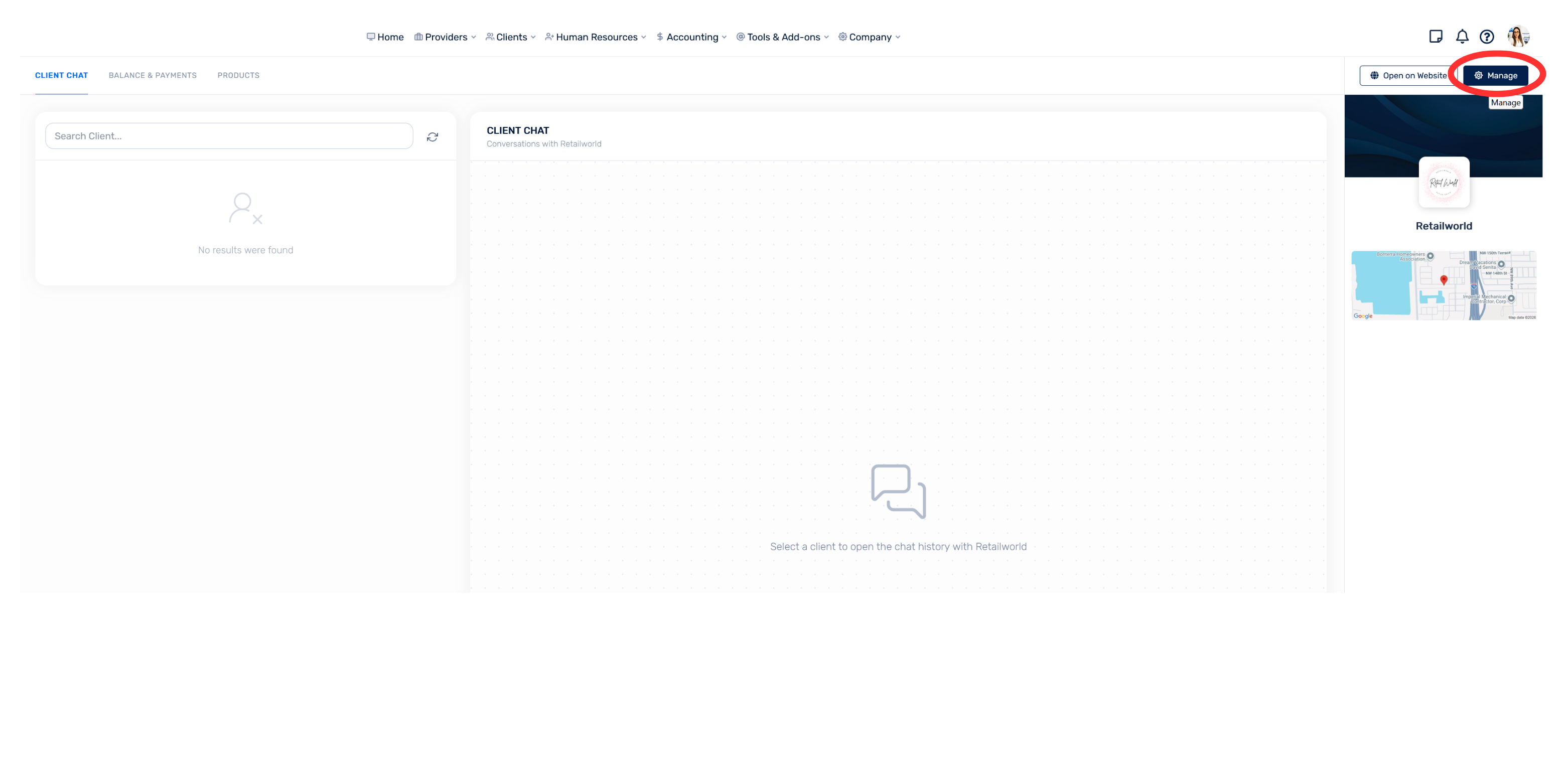
- On the right side, tap “Manage”
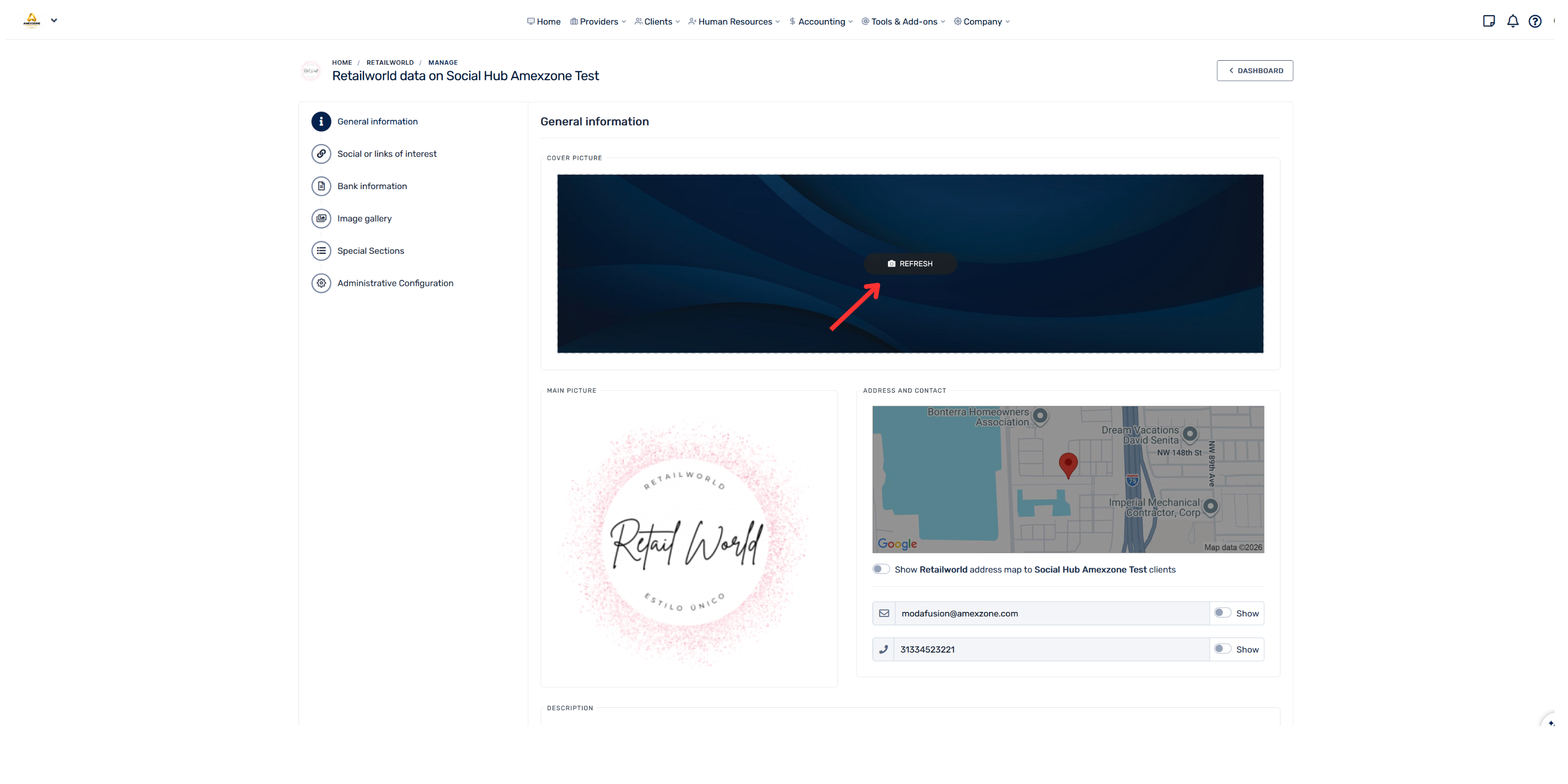
- Tap where it says “Update” above the banner image and select an image
Make sure to use an image with the recommended format and size so it displays correctly.