Where do I find the “Work Schedules” section?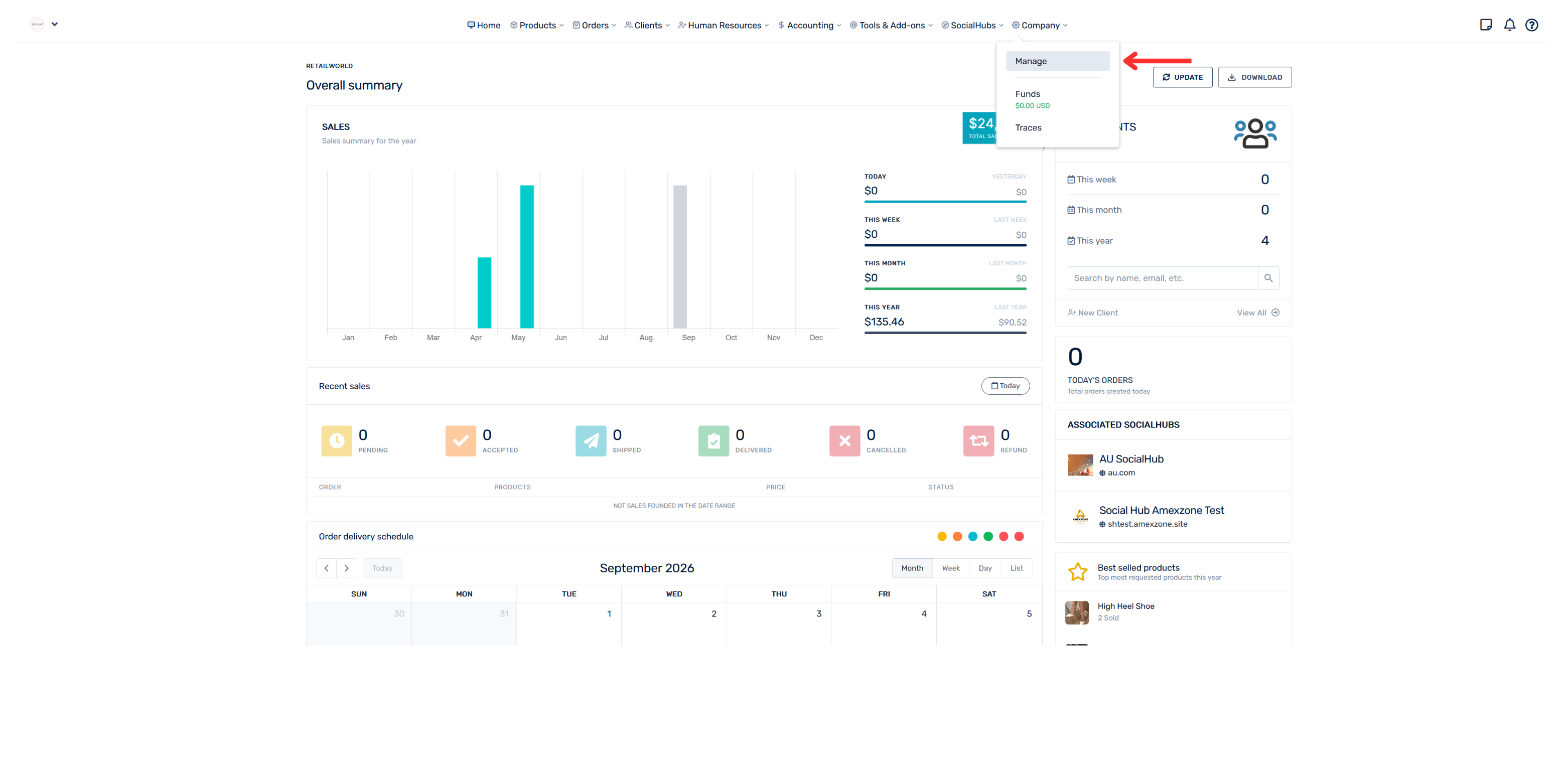
- Go to the “Company” section
- Select “Manage”
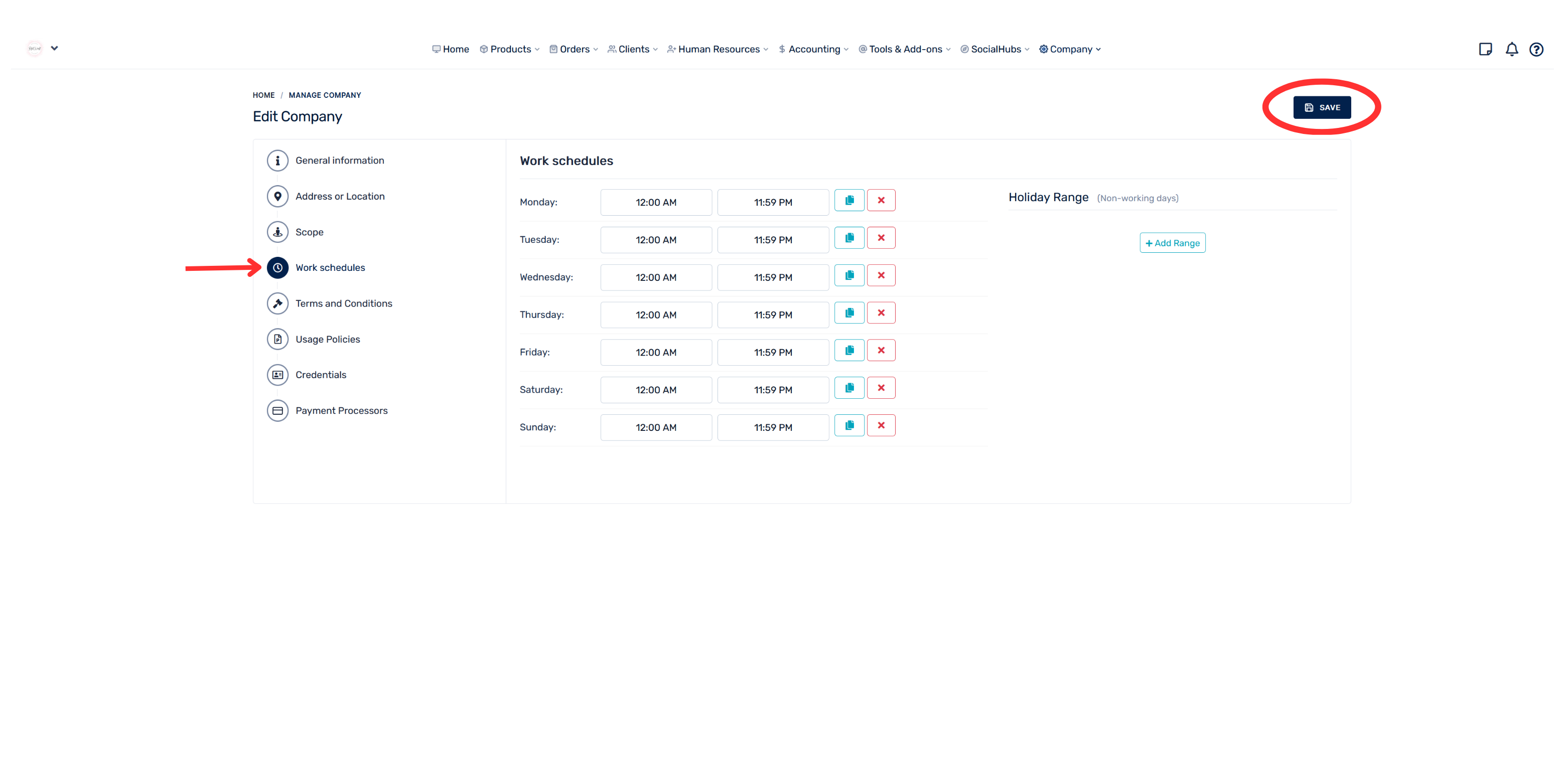
- In the menu located on the left-hand side, click on “Work Schedules”
- Set the schedule
- Click “Save” to properly record the changes