Where can I add the Social Network or a link to the provider's profile?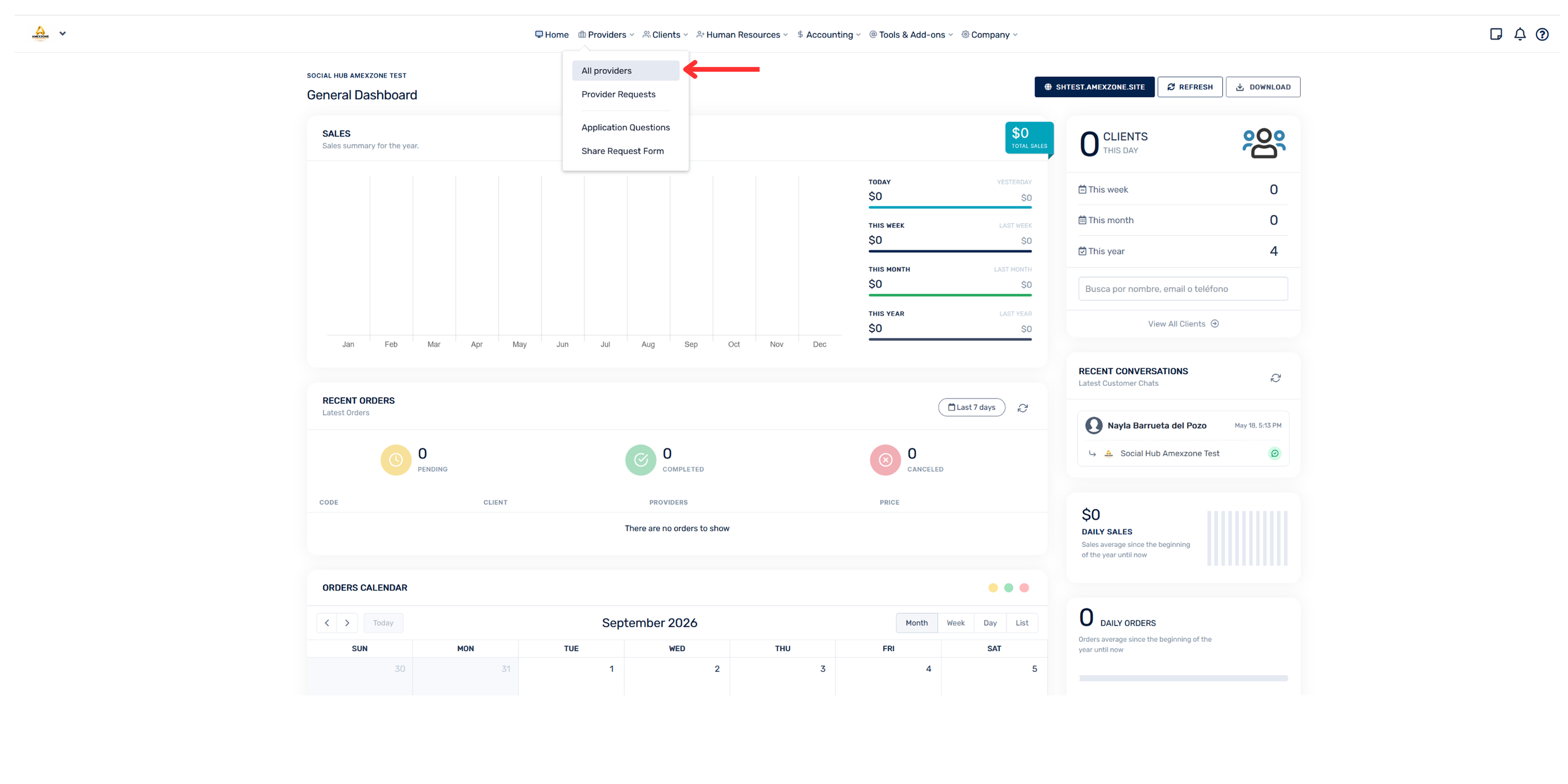
Go to the “Hub”
- Select the “Providers” section
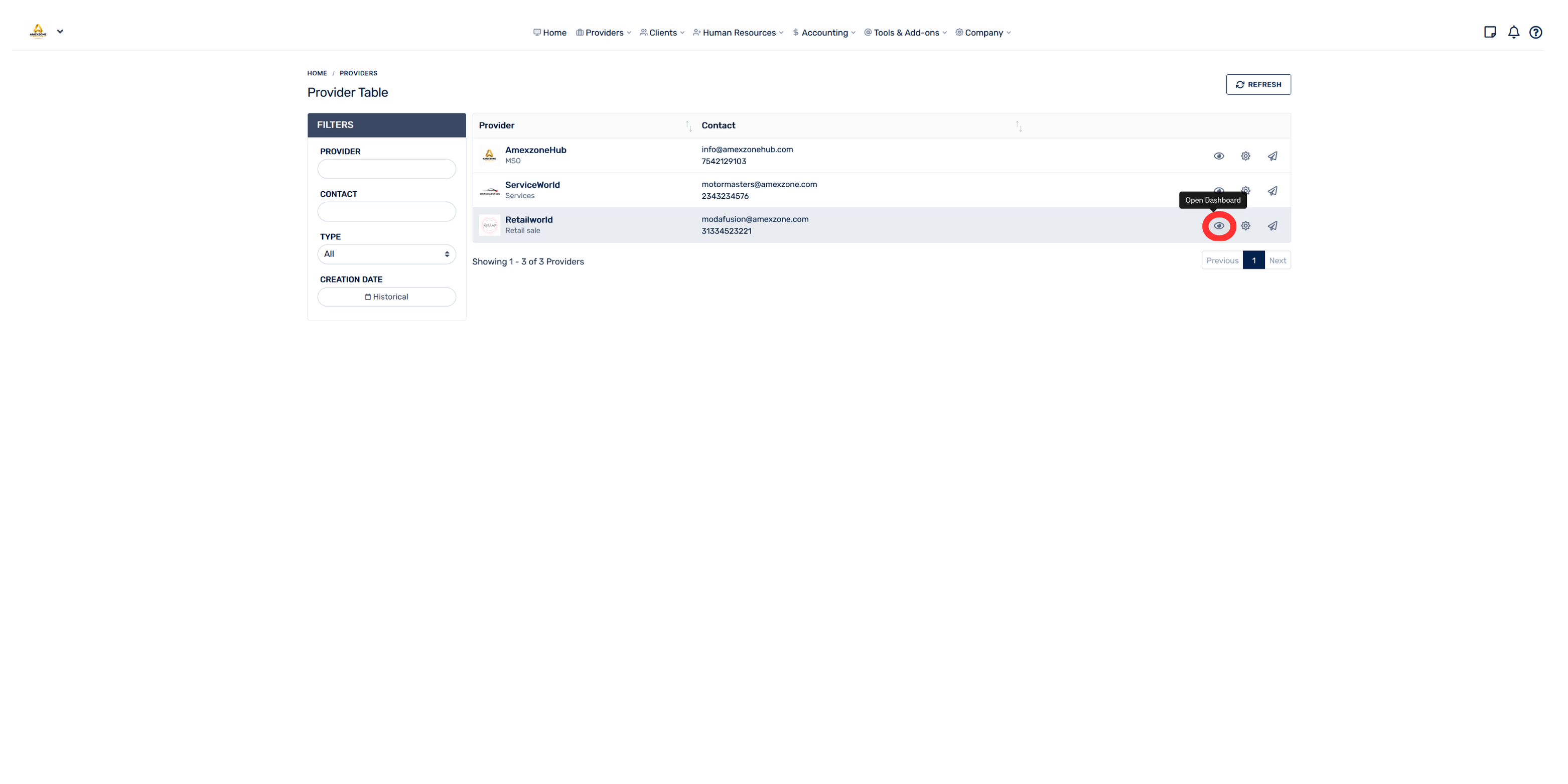
- Click “All providers”
- Click the eye icon (👁) for the corresponding provider
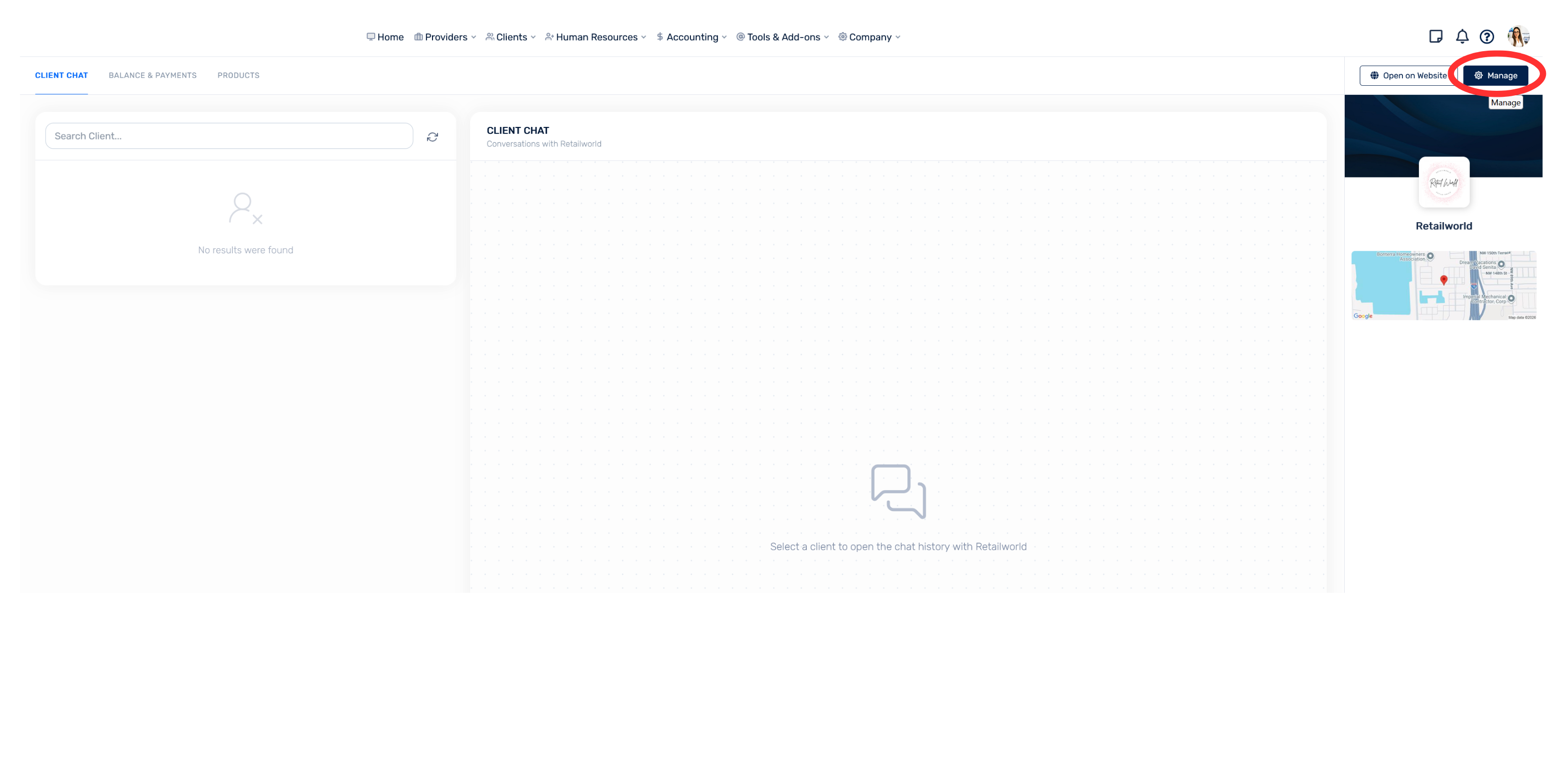
- On the right side, click “Manage”
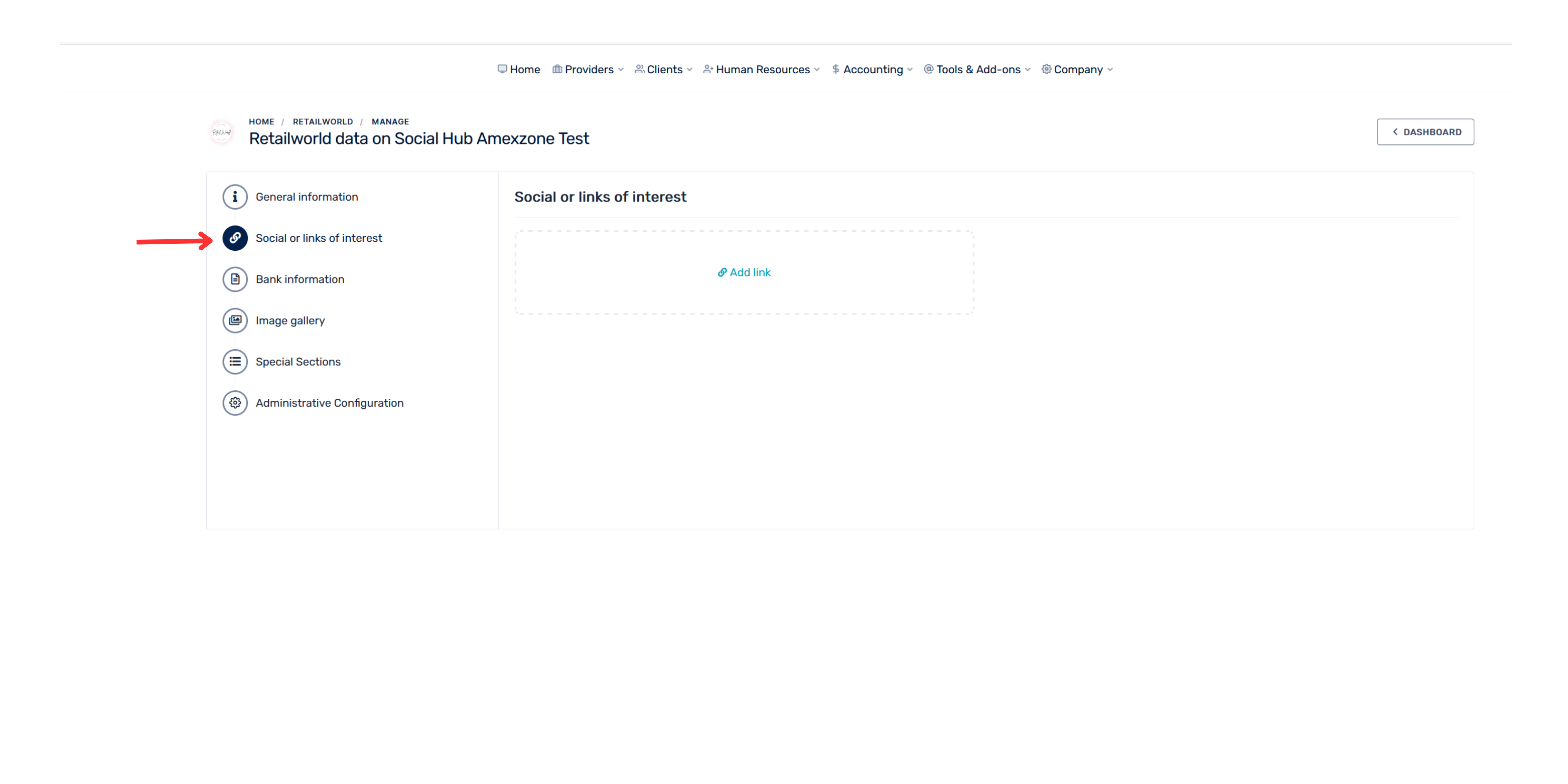
- Select Social Networks or Links of Interest